... set up SSH connections with Putty
- Find the settings for connecting to the Edge server in Keeper.
- Copy and save the private key to a txt file
- Open PuttyGen
- Click on Conversions → Import Key
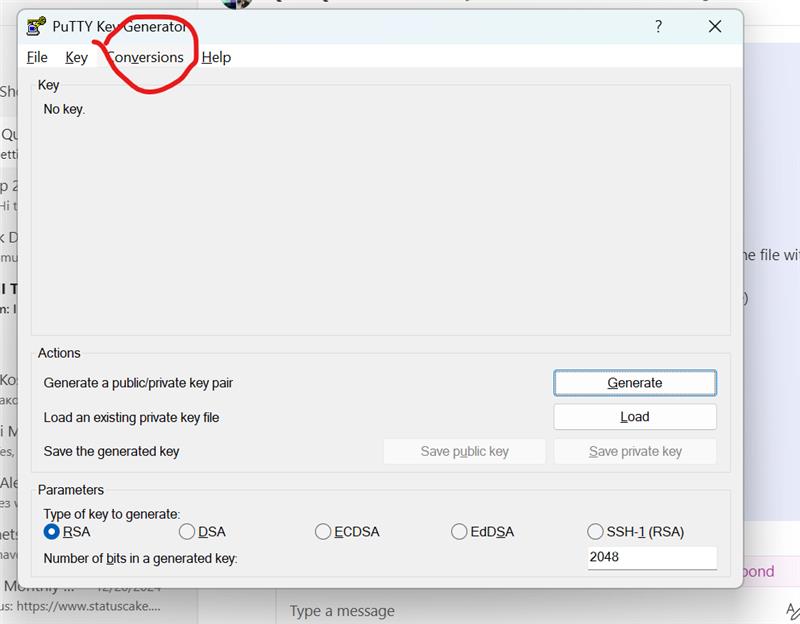
- Find the file from Step 1.
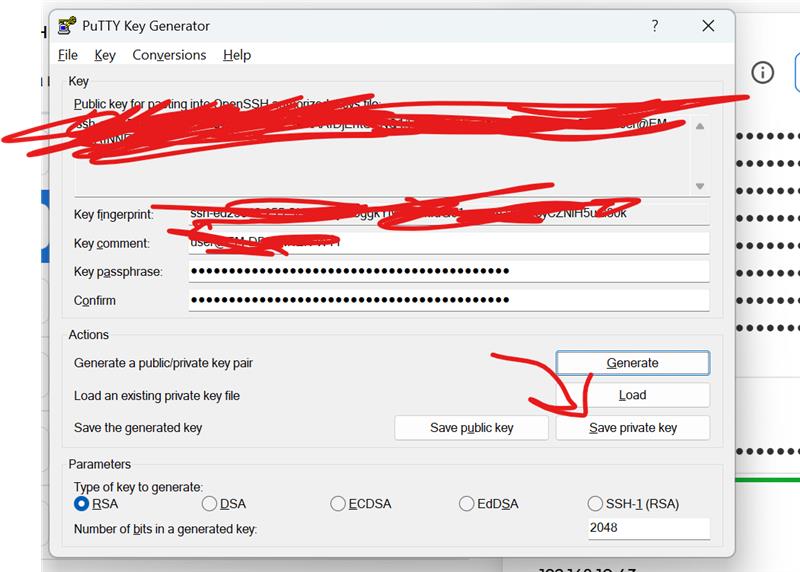
- Type in the passphrase from Keeper.
- Save as a private key.
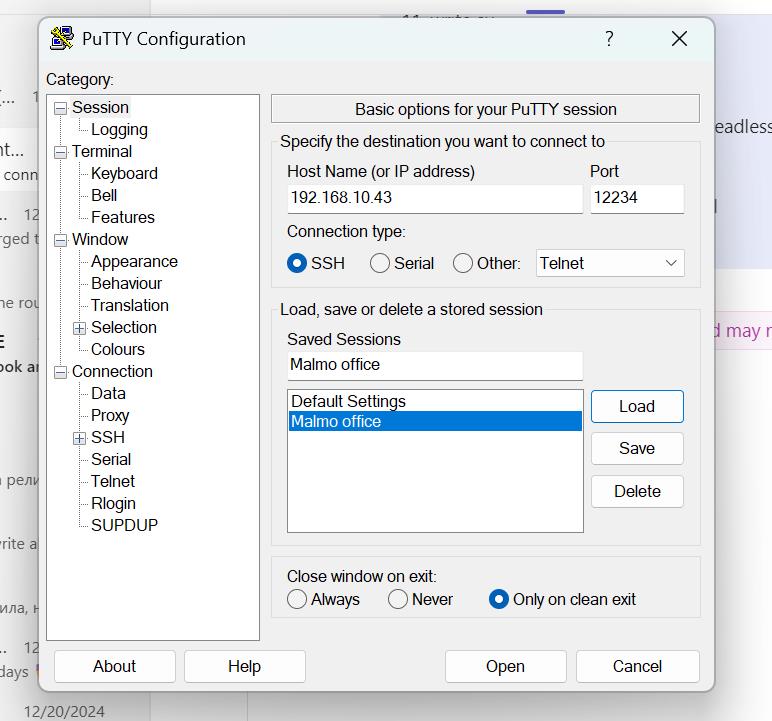
- Open Putty.
- Enter Host name and Port, then click on Save.
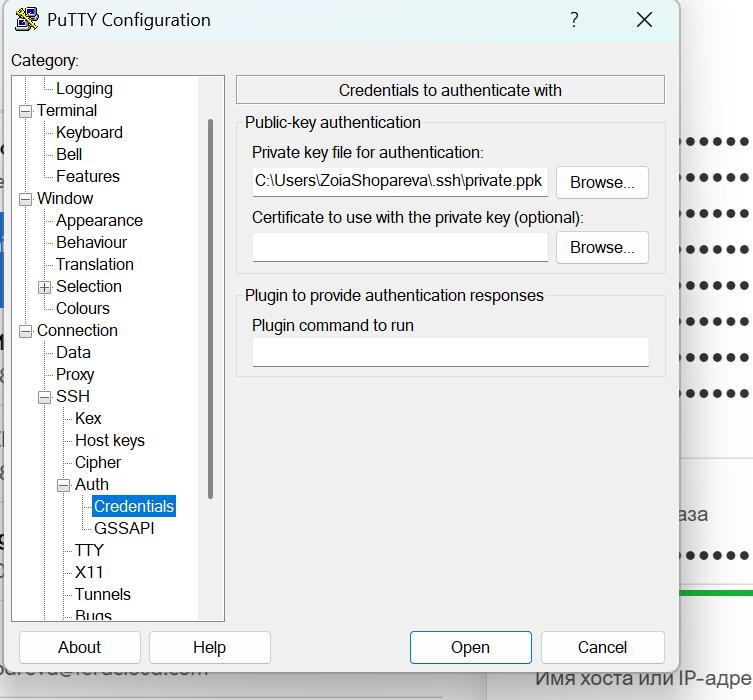
- Go to SSH → Auth → Credentials, choose path to the private key file from Step 7.
- Log in as a user (enter username and passphrase/password).